 COME
COMECOME Match Access After Update: Find the Waiting Stage
For match-related access after an update, identify whether navigation, file transfer, app loading or account access is waiting before retrying.
If the app opens but the previous route looks different, start from the category row and identify the intended activity. If it closes instead, record a crash symptom rather than treating it as a navigation problem.
Name the stage that is waiting
A browser page that will not open, an incomplete APK, a spinner inside COME and a sign-in error are separate problems. Record the last successful step. If the installer already finished and the app opens, another download may have no bearing on the stalled screen.
Look for the actual message and whether the whole product or one category is affected. A single unavailable activity does not necessarily mean the app is offline. Read any maintenance, availability or account message before changing device settings.
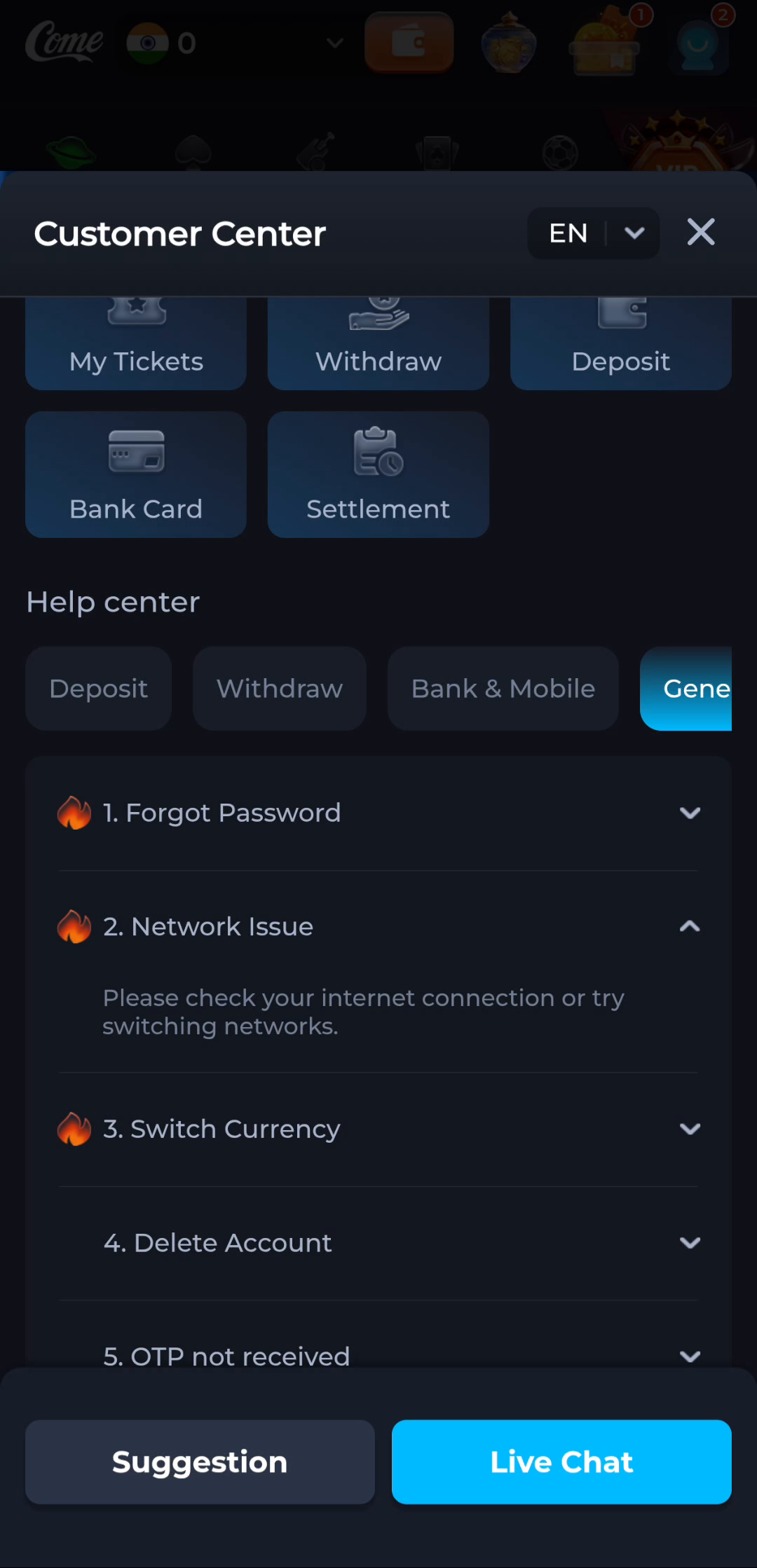
Compare ordinary connectivity
COME's Network Issue help suggests checking the connection or switching networks. Start with a normal website or another ordinary app, then compare one trusted network if available. Keep the device, account and product action the same during the comparison.
Avoid changing several controls at once. If a restriction is displayed, do not treat it as an invitation to evade access rules. A network comparison is intended to diagnose a connection symptom, not to bypass product eligibility or local limitations.
Avoid duplicate account actions
A pending payment, request or submission may already have reached the service even when the screen is slow. Repeating it can create a second action. Check its current status through the intended product record or help route instead of using repeated submissions as a connection test.
For a file transfer, use the browser's download status. Resume only as supported, or restart the transfer after a confirmed failure. A spinner in a product page does not tell you whether Android has a completed package.
Keep a small comparison record
Note the affected screen, time, network type and message, plus whether other pages loaded. Include the app version when the installed app is involved. Keep public screenshots free of phone numbers, account identifiers and verification messages.
If loading succeeds, continue from that stage instead of repeating earlier completed steps. If it does not, use the appropriate product or device help route with the comparison record. Do not label an unexplained failure a server outage merely because a second attempt behaved the same way.
Apply this to match-related access after an update
Compare the same category, account and task, then read any current release information. Sports, Fantasy and cricket-score explanations serve different purposes. A moved menu or a changed account view should not be labelled a missing match without checking the screen.
In this situation, complete the relevant check before repeating another stage. Identify whether navigation, file transfer, app loading or account access is waiting before retrying. Keep the result with the exact screen or file so a later step can use it instead of starting the whole process again.
A practical completion check
- Identify the last completed stage and waiting screen.
- Compare one trusted connection without changing the account action.
- Continue from the resolved stage or retain the exact error for help.
Questions about this task
Does a loading screen mean the APK is damaged?
No. The problem may occur after installation; identify the affected stage first.
Should I repeat a pending transaction?
Check its current status through the product rather than creating another action to test the connection.
A related next step
For match-related access after an update, match the screen and its unit to the question you want to answer.
COME Match Access After Update: Distinguish Sports and Fantasy